Floor Adjuster
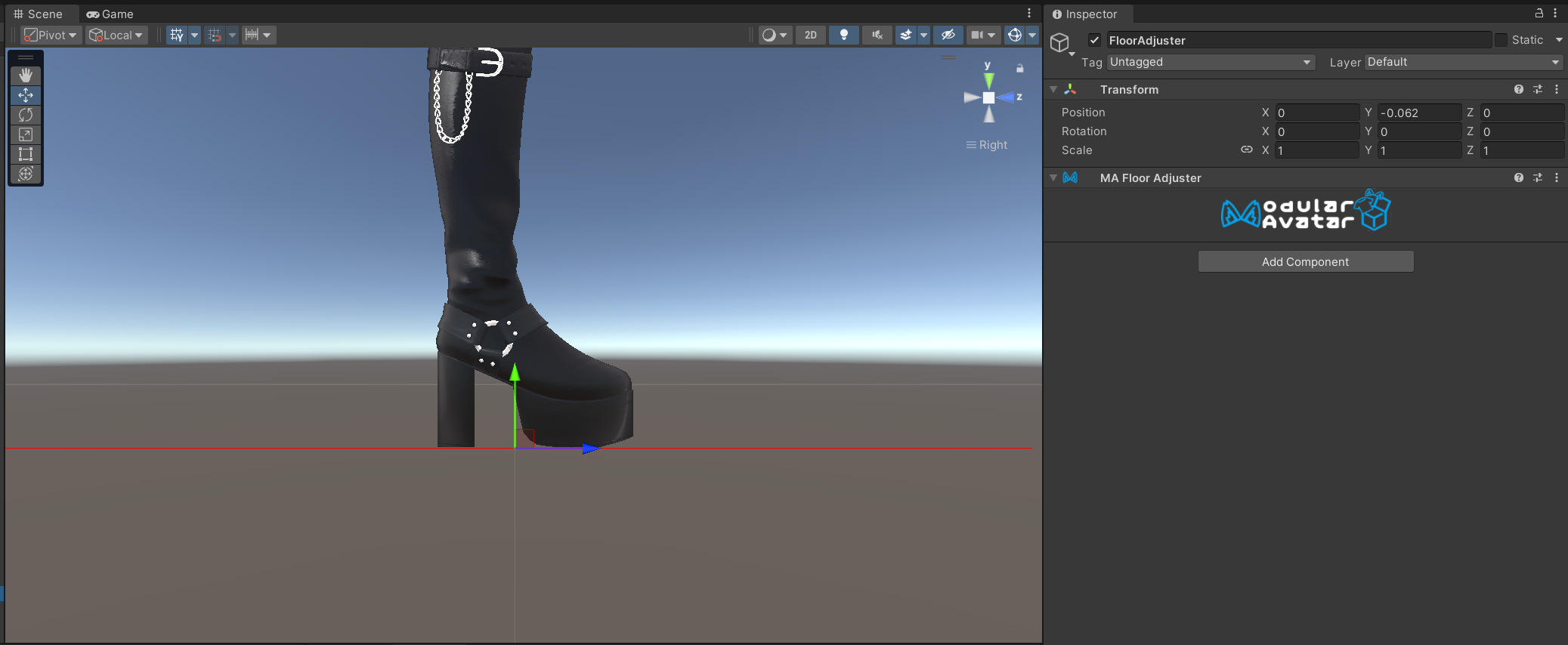
Floor Adjuster lets you adjust the vertical position of the avatar so that the floor (avatar root position) matches the bottom of your shoes.
When should I use this?
If you are attaching shoes to the avatar, sometimes it's necessary to adjust the avatar's position so that the shoes are not hidden by the floor.
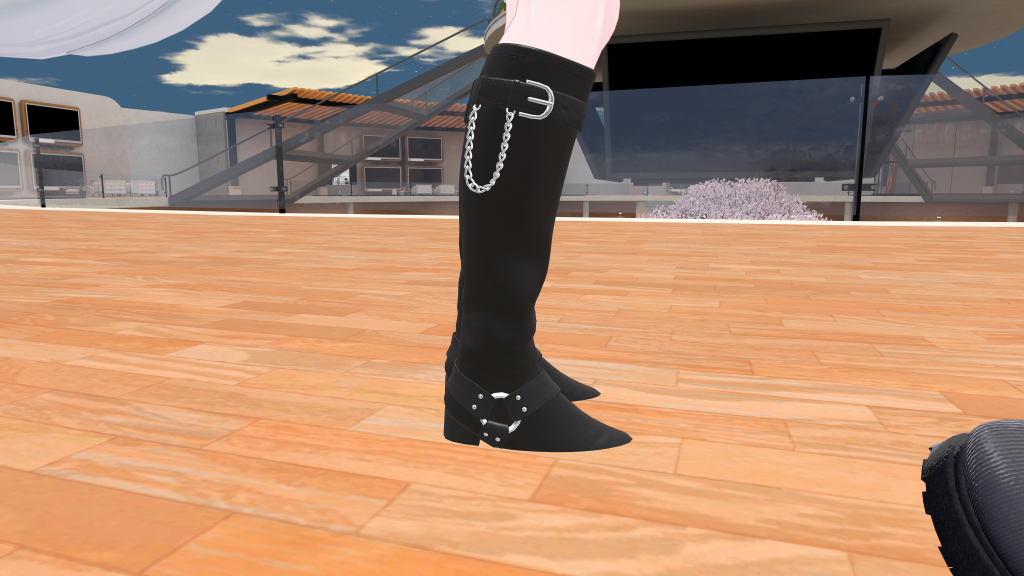 Before floor adjuster
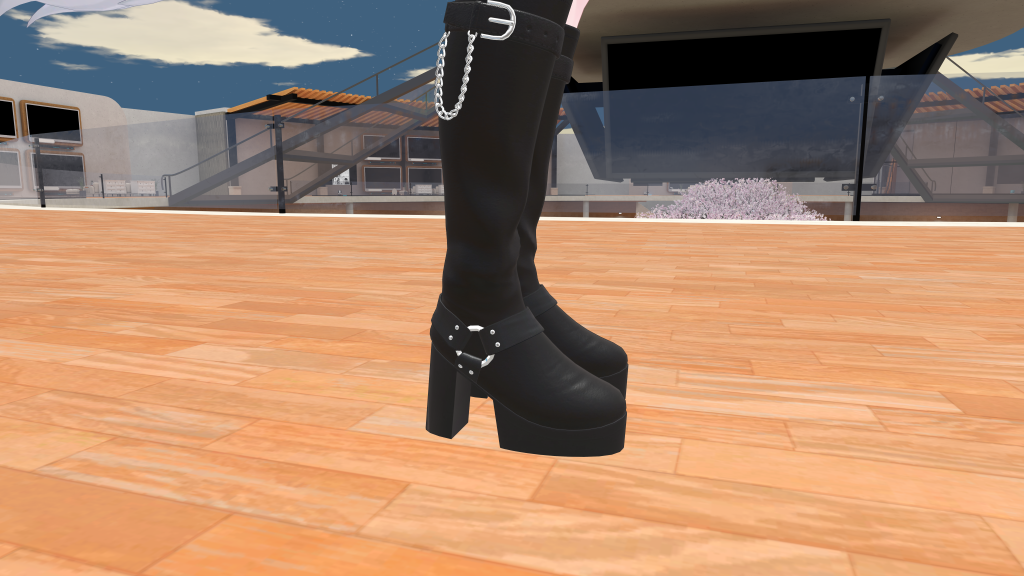 After floor adjuster
When shouldn't I use this?
In VRChat, it is not currently possible to adjust the avatar's height dynamically - as such, if you have multiple outfits that require different floor heights, it's not currently possible to adjust the avatar's position.
How can I use this?
Create a new GameObject and add the Floor Adjuster component. Adjust the position of this game object to align vertically with the bottom of your shoes.
It's best to put the scene view into a side-on, isometric view when making this adjustment.
In VRChat, it's not possible to adjust the avatar's height dynamically. As such, if multiple Floor Adjusters are present, no adjustment will be made. This behavior might change in the future if it becomes possible to dynamically adjust the avatar's height.